Your next payment,
at a glance
Plus your monthly total and trial countdowns
 Subscriptions
Track bills, renewals & trials
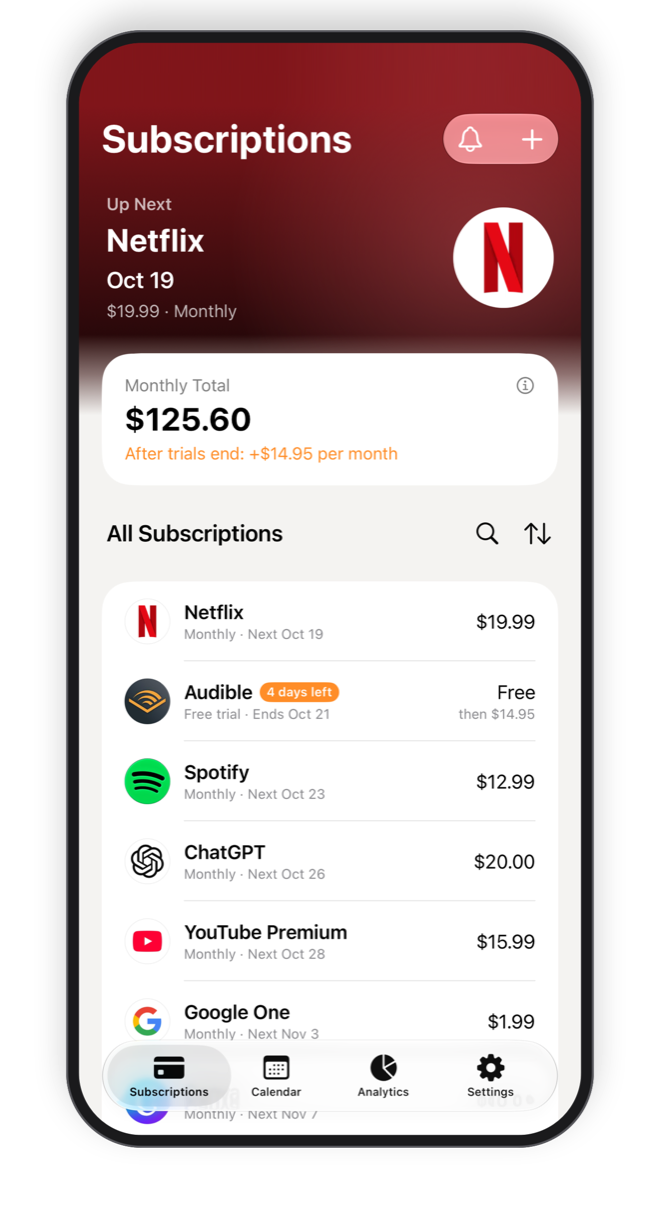
See every subscription you pay for, your next payment and your monthly total at a glance. No account, no ads, no tracking.
Plus your monthly total and trial countdowns
Up to two reminders for each subscription, and a heads-up before a free trial ends.
Subscriptions
Netflix payment is due tomorrow
$19.99 (Monthly)
Subscriptions
Your Audible free trial ends tomorrow
After the trial, you'll be charged $14.95 (Monthly). Cancel before the trial ends if you don't want to continue.
Start typing and choose from over 10,000 services. The name, category and logo are filled in for you.
Paying in dollars, euros or yen? Amounts are converted to your currency with exchange rates.
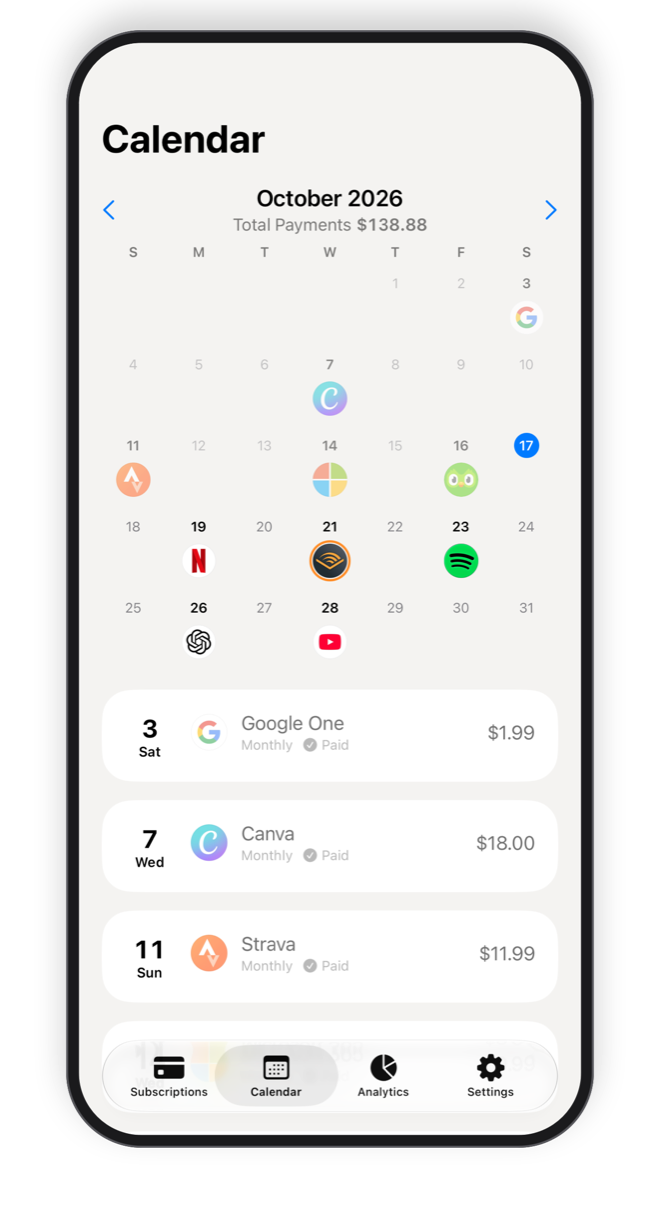
Know when you pay, and how much
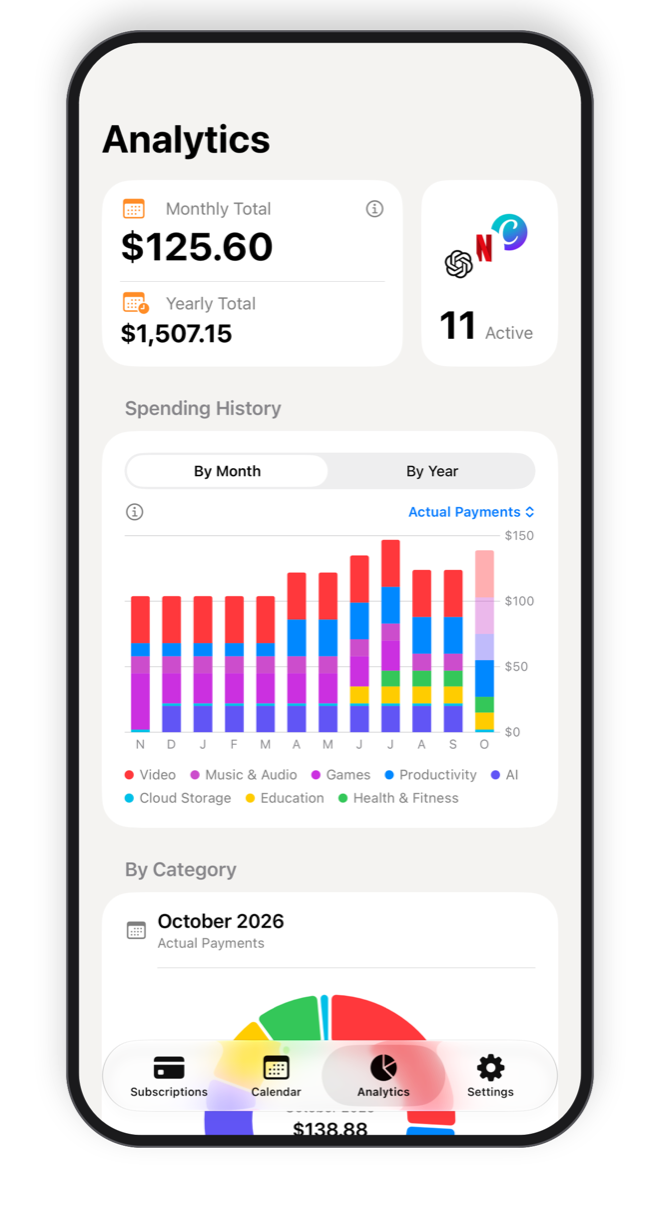
Spending by month, year and category
Track up to 5 subscriptions for free, with every feature. Go Premium when you need more.
Open Settings > Plan and tap Restore Purchases. Use the same Apple Account you bought Premium with.
Open the Settings app on your iPhone, tap your name, then Subscriptions, and choose this app (Subscriptions). The lifetime purchase has nothing to cancel.
Make sure notifications are allowed in the Settings app on your iPhone (Notifications > Subscriptions). You can change the time reminders arrive in the app under Settings > Notifications.
Your data is stored on your iPhone and is included in your iPhone backups (iCloud Backup or a backup on your computer). If you delete the app without a backup, your data is deleted too.
Open the subscription, tap Edit, and choose a symbol or an initial as the icon. You can also email us the service name so we can add the logo.
Rates come from Frankfurter, which publishes reference rates such as those of the European Central Bank. They are updated when you open the app, and the date of the rates is shown in Settings.
See every subscription you pay for, your next payment and your monthly total at a glance. No account, no ads, no tracking.
